
GPU vs. graphics card: the difference, no fluff
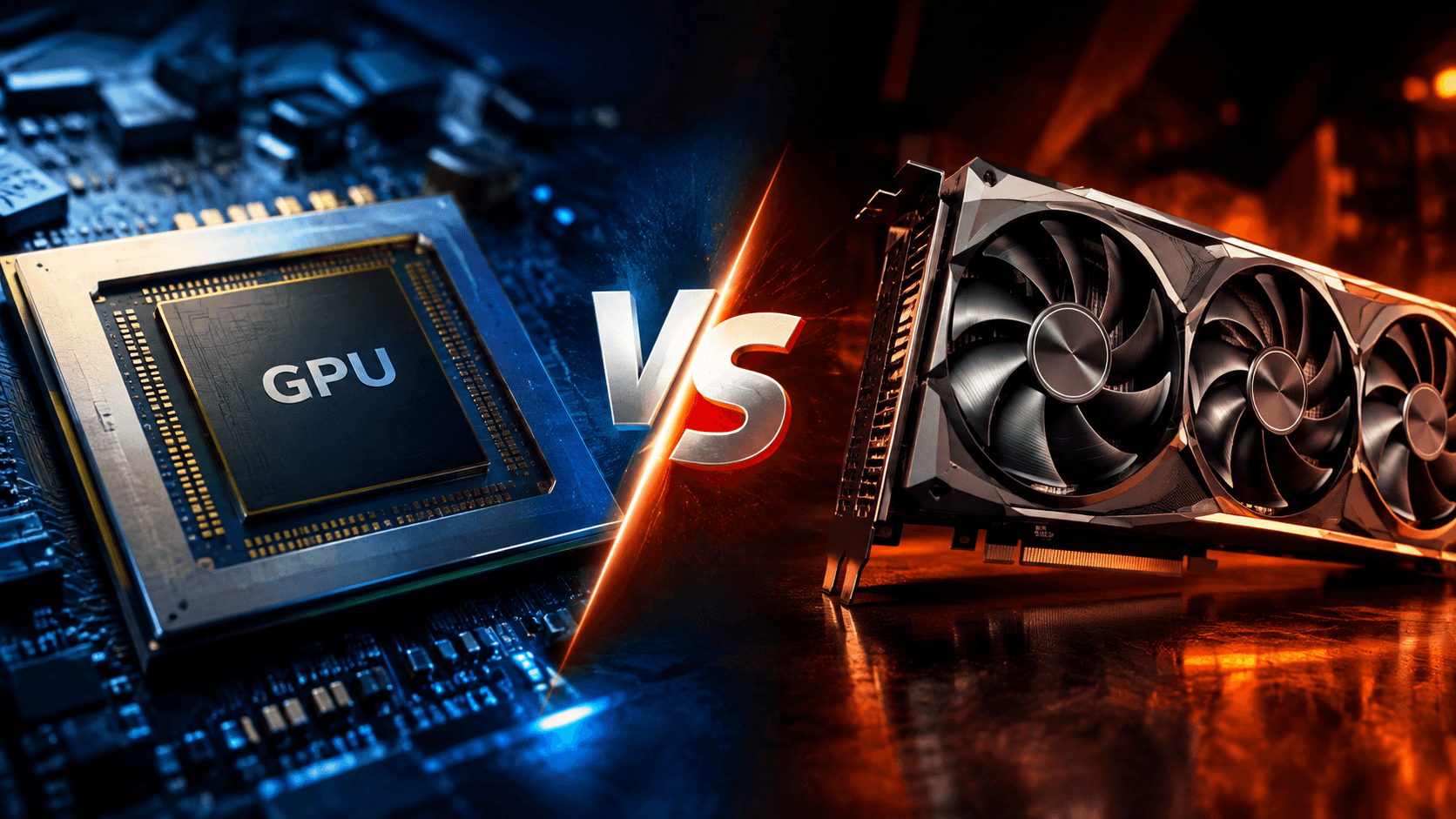
A GPU and a graphics card are not the same: the GPU is the chip, the card is the assembly with memory, power and cooling. Understand the difference and why it matters in AI.
 NinaKalkazu.org
Listen to this article
Narrated by Thalita
You open a laptop listing and read "RTX 5060 GPU". At the next store, the same device shows "RTX 5060 graphics card". They seem like synonyms.
But a GPU and a graphics card are not the same thing. One is the part, the other is the product, and the GPU lives just fine without any card. Here you'll separate the two, understand what this changes when buying, and see why this chip became the engine of artificial intelligence.
Quick summary: the answer in 30 seconds. The GPU is the chip that does the image calculations. The graphics card is the complete product: the GPU mounted on a circuit board, with its own memory, power supply, fans and monitor outputs. Every graphics card has a GPU, but not every GPU is on a card: in phones and many laptops, it sits inside the processor.
Index
- Difference between GPU and graphics card: part and product
- What is a GPU and why is it so fast?
- What's inside a graphics card?
- Integrated or dedicated GPU: which to choose?
- Why does artificial intelligence run on GPUs?
- What to look for when buying?
- Frequently asked questions
Difference between GPU and graphics card: part and product
The GPU is the chip that calculates what appears on screen. The graphics card is that GPU already installed on a circuit board, with memory, power, cooling and connectors, ready to plug into the computer. The relationship is like an engine to a car: the engine is the part that matters, but alone it doesn't go anywhere.
GPU stands for graphics processing unit. Because the chip's name labels the entire product ("card with RTX 5060 GPU"), the two words got mixed up.
| GPU | Graphics card | |
|---|---|---|
| What it is | A chip | A complete product |
| Where it lives | On the card, in the processor or on a server | In the motherboard slot of a PC |
| Own memory | No; uses the card's or system's | Yes, the VRAM |
| Can you swap it? | Only by swapping the card or processor | Yes, in a desktop PC |
What is a GPU and why is it so fast?
A GPU is a processor built to repeat the same calculation thousands of times simultaneously. The CPU, the main processor, has a few smart cores that solve any task. The GPU has thousands of simple cores that do one thing only, all together. For drawing images, this division of labor is unbeatable.
Think of a wall to paint. The CPU is an excellent painter, but alone. The GPU is a team of thousands of helpers, each with a small square. None of them would paint a portrait, but the wall is done in an instant.
That's what a game demands: the screen has millions of pixels, and the color of each one changes dozens of times per second. A TechCrunch analysis calculated that a powerful CPU would take seconds to assemble a single image, and a game demands dozens per second; divided among thousands of cores, the work comes out almost instantly.
For scale: the GeForce RTX 5090, the current top of Nvidia's line, has 21,760 cores, according to the official spec sheet (checked on 10/15/2026). A personal computer CPU has a few dozen at most.
Where the name GPU came from
The word became a brand in 1999, when Nvidia launched the GeForce 256 as the first GPU. The company still notes, in its timeline, that it "invented the GPU" that year. Engadget recalls that only with the GeForce 3, in 2001, did games start running their own programs inside the chip, the flexibility that later took the GPU into AI.
What's inside a graphics card?
A graphics card combines the GPU, video memory (VRAM), the circuit board that connects everything, the components that regulate power, the cooling system and the connectors: the motherboard slot, called PCI Express, and the monitor outputs.
The GPU runs very hot, which is why powerful cards have two or three fans. And it consumes a lot: the RTX 5090 draws up to 575 watts alone, and Nvidia asks for a 1,000-watt power supply for the entire computer.
Nvidia, AMD and Intel design the GPUs, but most cards on sale are assembled by other brands, like Asus, Gigabyte and XFX. That's why the same GPU appears in cards of different sizes, fans and prices.
What is VRAM and why does it matter so much
VRAM is the graphics card's exclusive memory. It works like a carpenter's workbench: what the GPU will use in the next instant, like a game's textures, needs to be right there, within arm's reach. A small workbench forces you to fetch material from the warehouse, which is the computer's common memory, and everything slows down.
Engadget, in its buying guide, warns that cards with 8 GB already hit bottlenecks in many recent games. That's why, on the RTX 5060 Ti, which Nvidia sells with 8 GB and with 16 GB, prefer the 16 GB version.
Integrated or dedicated GPU: which to choose?
A dedicated GPU is one that comes on a graphics card, with its own memory. An integrated GPU sits inside the processor and uses the computer's common memory. Integrated is cheaper, uses less power and suffices for study, office work and video. Dedicated is for heavy gaming, professional editing and local AI.
This is where the name confusion becomes clear. A thin laptop, a phone or a Mac has a GPU, but no graphics card. The graphics chip shares the same piece of silicon with the CPU.
Apple took the idea further with unified memory: when launching the M1 chip in 2020, it explained that components began to access the same data without copying them between separate memories. AMD and Intel follow the same path in recent laptop chips, as IEEE Spectrum showed.
| Integrated | Dedicated | |
|---|---|---|
| Where it lives | Inside the processor | On a graphics card |
| Memory | Shares the system's | Own VRAM |
| Consumption | Low | High |
| Good for | Study, work, video | Gaming, editing, local AI |
Why does artificial intelligence run on GPUs?
Because training and running an AI model is, at bottom, doing billions of identical multiplications in parallel, the same kind of calculation that draws the pixels of a game. The GPU was already ready for this. When Nvidia opened its chips to common programs, researchers found the ideal machine.
That opening came in 2006, with the CUDA platform. In 2012, a neural network trained on GPUs, AlexNet, gave the push that Nvidia calls the beginning of modern AI. Since then, the GPU has been the foundation of almost everything in artificial intelligence.
In data centers, the GPU doesn't even look like a graphics card. The Nvidia H100 SXM, one of the most used in AI, is a module plugged directly into the server board, with 80 GB of memory and consumption up to 700 watts, according to the official page. Thousands of them together explain why AI data centers weigh on the power bill.
The GPU also has limits. IEEE Spectrum showed that, when answering questions, it spends much of its time idle, waiting for data from memory. That's why chips made only for AI emerged, like Google's TPU and the AI chips (NPUs) in phones and laptops.
What to look for when buying?
Choose the GPU first, then the card, looking at four things: the amount of VRAM, the power supply it requires, the physical size and the use you'll give it.
| If you… | What to look for |
|---|---|
| Study, work and watch videos | Integrated GPU suffices |
| Game at common resolution (Full HD) | Dedicated, with at least 8 GB |
| Edit video or game at 1440p | 16 GB card |
| Want to run AI at home | Maximum VRAM your budget allows |
Before closing the deal, check the power supply: Nvidia asks for at least 600 watts for a computer with the RTX 5060 Ti (checked on 10/15/2026). And measure the case, because powerful cards occupy the space of two or three cards.
Frequently asked questions
Is a graphics card the same as a motherboard?
No. The motherboard is the base where everything connects: processor, memory, storage. The graphics card is a part that plugs into it, in a PCI Express slot.
Does every laptop have a graphics card?
Every laptop has a GPU, but most don't have a graphics card: the GPU sits inside the processor. Gaming laptops have a dedicated GPU, but it's soldered to the motherboard.
Can you swap the computer's GPU?
In a desktop PC with a graphics card, yes: just remove one card and plug in another, as long as the power supply and case can handle it. With integrated GPU and in laptops, no, because it's part of the processor or soldered on.
Next time someone says "graphics card" meaning GPU, you'll know whether the person is talking about the chip or the product. And, if the interest is AI, it's worth following who dominates this chip, as shown by Nvidia's purchase of Hugging Face.