
OpenAI DevDay 2026: Dots, GPT-6.1 Sol and everything new
OpenAI DevDay 2026: understand Dots, GPT-6.1 Sol, the $500 plan, Space and Pages, and what each announcement changes for ChatGPT users.
 NinaKalkazu.org
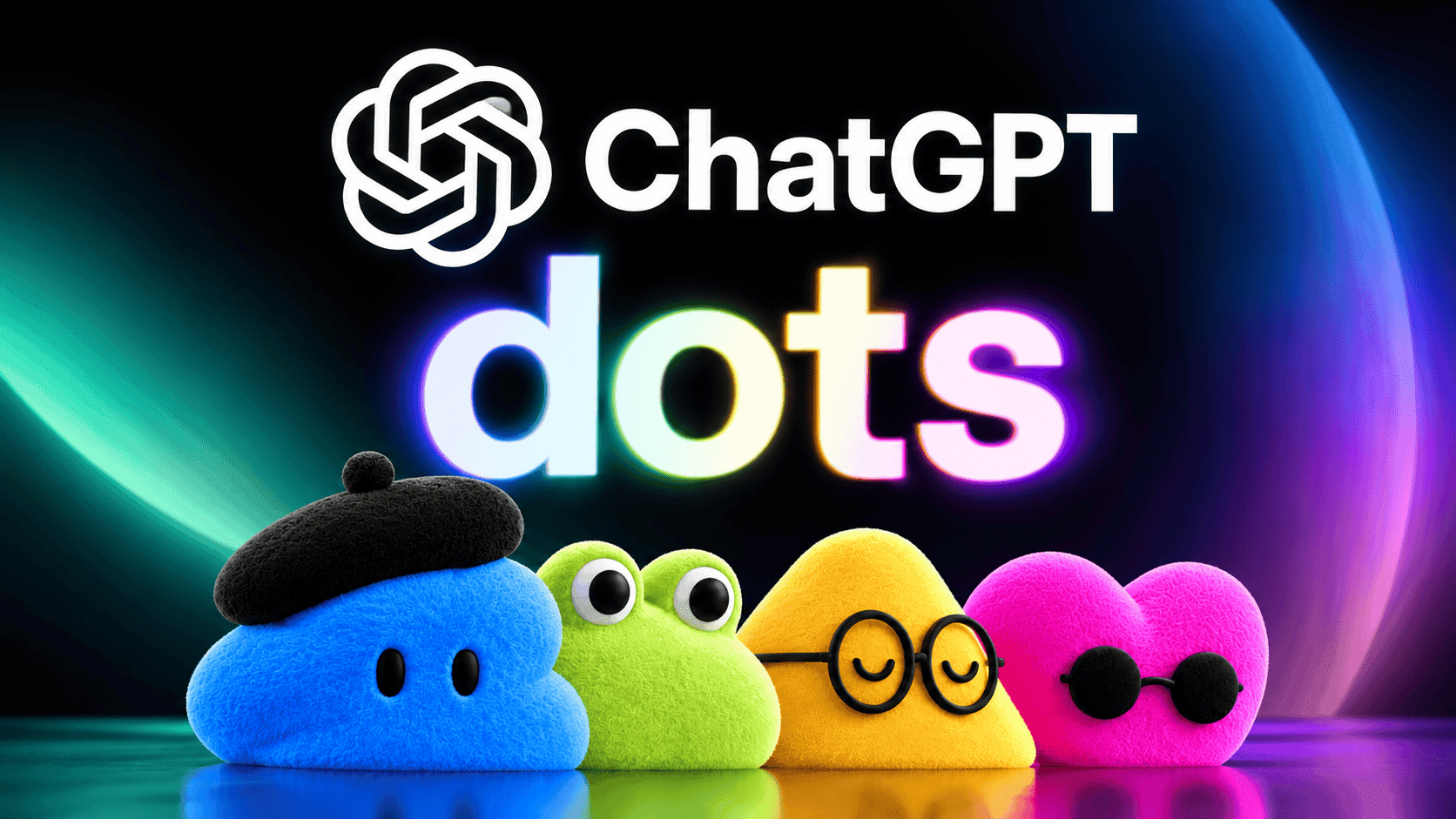
For those who pay for ChatGPT, it looked different on Wednesday morning. There's a colorful creature that promises to work while you sleep, a $500-a-month plan, a document editor and a new model, the engine behind the answers, named after the sun. All of this appeared at once, on Tuesday, September 29, 2026.
It was OpenAI DevDay 2026, the annual event where the company behind ChatGPT shows what's coming. The company announced over 20 new features. American tech sites published a note for each one, and anyone trying to follow along ended up with a puzzle on their hands.
This article assembles the puzzle. You'll understand the main announcements, how much each one costs, who can use them now and what's still a promise. At the end, a table shows what changes for your case.
Quick summary: the answer in 30 seconds. The star of the event is Dots, AI programs that execute tasks for you, currently only for those paying at least $100 a month. GPT-6.1 Sol comes close to the most expensive model at one-fifth the price. A $500 Pro plan appeared, and the $200 one now delivers less. ChatGPT gained built-in documents and apps. Free users barely notice a difference.
Index
- What was OpenAI DevDay 2026?
- What are Dots, the agents that work on their own?
- What is GPT-6.1 Sol and how much does it cost?
- How much does the new $500 Pro plan cost and what changed in the $200 one?
- What are Space, Pages and collaborative slides?
- Is ChatGPT becoming an app store?
- What changed for programmers?
- What can you use now and what's still a promise?
- What does this change for you?
- Frequently asked questions
- What comes after OpenAI DevDay 2026?
What was OpenAI DevDay 2026?
OpenAI DevDay 2026 was OpenAI's annual conference for developers, held on September 29, 2026. The company announced over 20 new features at once: agents that work on their own, a cheaper model, a more expensive subscription plan and office tools inside ChatGPT.
The name is a bit misleading. "Dev" comes from developer (someone who writes programs), but much of what was shown affects the ChatGPT that anyone uses. Think of an auto show: it's made for the industry, but that's where you see the car that will be on the street next year.
The size of the audience explains the noise. In the official event recap, OpenAI mentions 1.2 billion users per week. It's as if, every seven days, a population almost six times larger than Brazil's opened the same app.
What are Dots, the agents that work on their own?
Dots are OpenAI's AI agents that stay on all the time and handle tasks for you, even when you're not in the conversation. Each Dot has its own computer in the cloud, meaning on OpenAI's servers and not in your home, a browser and access to the apps you connect. For now, only subscribers to the more expensive plans can use them.
The technical term here is agent. An agent is an AI that executes tasks instead of just answering questions. Regular ChatGPT is a consultant: you ask, it answers, and the conversation stops there. An agent is an intern with a badge: it receives a goal, opens programs, does the work and comes back with the result.
This matters because it changes what you ask for. Instead of "write an email billing the client," the request becomes "track payments and notify me when someone is late." The first sentence generates text. The second delivers a responsibility.
The cute visual is intentional. Each Dot appears as a colorful ball with eyes, which you name and customize. Wired described Dots as fluffy bubbles, along the same lines as Muse, the agent Meta launched days earlier.
What does a Dot do in practice?
According to the official Dots announcement, each one runs on GPT-6 Astra, the company's most capable model, and connects to over 4,000 apps. It works 24 hours a day and learns your preferences over time, from the corrections you make.
The clearest example from the announcement is of a tester who forgot to send an invoice to a magazine. The Dot noticed the omission, prepared the bill and only sent it after the owner approved. Nobody had asked for anything.
OpenAI lists other uses. A programmer lets the Dot read customer complaints and receives ready-to-review fixes. You talk to the Dot by message or voice call in ChatGPT, and also through Slack and Microsoft Teams, two messaging programs used in companies. The context follows you from one channel to another. At launch, you're the one who calls: the Dot doesn't initiate calls yet.
Who can use Dots and how much does it cost?
Dots are being released to ChatGPT Pro subscribers, starting at $100 a month, and Business Premium, a plan for companies. The first Dot is already included, at no extra charge. In Enterprise, Edu and Healthcare plans, made for large companies, schools and hospitals, teams only test if the administrator turns the feature on, which comes disabled.
For readers in Brazil, the good news is in a detail from OpenAI's help center (checked on 10/01/2026). In the Pro plan, the rollout applies to all countries, except those in the European Economic Area, Switzerland and the United Kingdom. Brazil is not among the exceptions.
There are three practical limits. The rollout is gradual and may take a few days to reach your account. The Dot can only be created on a computer, through the app or browser; the phone is for talking afterward. And SMS conversation is a test restricted to some Pro subscribers in the United States.
A good point for your wallet: conversations with the Dot don't consume your ChatGPT usage limit, the quota of requests each plan gives per period. What does consume it are the heavy tasks it opens in Codex or ChatGPT Work, the programming and work areas of the app.
Those who don't pay were left out for now. OpenAI says it intends to expand access soon, and The Verge recorded the company's CFO talking about bringing Dots to all users. There's no date.
Dots or Muse: what's the difference?
The difference that matters is the entry price. Meta presented Muse as free for most of what people need. Dots require a subscription starting at $100 a month. These are two opposite bets about who should reach agents first.
| Dots (OpenAI) | Muse (Meta) | |
|---|---|---|
| Entry price | Pro plan, starting at $100 per month | Free, with usage limit |
| Model behind it | GPT-6 Astra | Meta's own model |
| Where it works | Own computer in the cloud | Own computer in the cloud |
| Appearance | Customizable colorful ball | Customizable mascot |
We told the competitor's story in the article about Muse, Meta's personal agent.
What precautions to take before turning on a Dot?
Treat the Dot like a new employee with access to your accounts: give little access at first and increase gradually. OpenAI has put in safeguards, but warns in the announcement itself that Dots can make mistakes and that any work that could cause harm if done wrong should be reviewed.
The safeguards are these, according to the company:
- Separate computer. The Dot works on its own machine. Your computer only enters the picture if you authorize it.
- Read-only search. When nobody asked for anything, it can only read connected apps. It doesn't send messages or alter files.
- Custom rules. In Custom Rules, you define what it does without asking, what requires approval and what stays with you.
- Tasks that never leave your hands. Changing a password, for example, remains yours.
There's the item almost nobody reads. In personal plans, you choose, in settings, whether conversations and the Dot's work can be used to improve OpenAI's models. In Business, Enterprise and Edu plans, this use comes disabled by default.
Another detail from the help center: disconnecting an app doesn't erase what the Dot already learned from it. To delete that information, you need to delete the entire Dot, with conversations, memories and scheduled tasks.
In one sentence: the Dot is a digital intern that works 24 hours, costs from $100 a month and needs clear rules before receiving the keys to the house.
What is GPT-6.1 Sol and how much does it cost?
GPT-6.1 Sol is the new version of OpenAI's intermediate model. According to the company, it comes close to the intelligence of GPT-6 Astra, the top-of-the-line model, in programming, computer use and professional work, charging one-fifth the price. It came out a week after GPT-6 Sol, which it replaces.
To understand the price, one term is missing: token (piece of a word). AI doesn't read whole words, it reads fragments, and those who use AI inside a program pay per fragment read and written. It works like an electricity bill, which charges per kilowatt. One million tokens equals, on average, a few thick books.
The prices from the official GPT-6.1 Sol page (checked on 10/01/2026), always per million tokens:
| Model | What it's for | Input | Output |
|---|---|---|---|
| GPT-6 Astra | The smartest, for the hardest problems | $10 | $50 |
| GPT-6.1 Sol | Almost Astra, for everyday work | $2 | $10 |
| GPT-6 Luna | Fast and cheap, for high volume | $0.10 | $0.50 |
"Input" is what the AI reads, and "output" is what it writes. A task that cost $50 in Astra now costs $10 in Sol. We explained where this drop comes from in the article about GPT-6 Sol and Luna at half the price.
The improvement that matters most to non-programmers is in errors. OpenAI measured, in difficult questions, how many answers contained some wrong information. From GPT-6 Sol to GPT-6.1 Sol, in the mode where the AI thinks less before answering, the rate dropped from 11.4% to 7.7%. That's almost four fewer wrong answers in every hundred.
This number requires caution. The test purposely uses conversations where an earlier model had already made mistakes, so it doesn't represent common use, where errors are rarer. It serves to compare one model with another, and that's all.
In the most difficult tasks, Astra remains ahead. In the scientific research test cited by the company, it has the highest score among the evaluated models, and OpenAI itself recommends Astra for the most difficult tasks.
There's an availability catch. GPT-6.1 Sol is released for Plus, Pro, Business, Enterprise and Edu plans, but only in ChatGPT Work and Codex. In regular Chat, the usual conversation, it hasn't arrived yet.
How much does the new $500 Pro plan cost and what changed in the $200 one?
Pro 500 costs $500 a month and offers OpenAI's highest usage limit, 25 times that of the Plus plan, plus Ultrafast mode. The $200 Pro is accepting subscribers again, with a lower limit than before for the same price. The $100 Pro continues as the entry point.
| Plan | Price per month | Ultrafast | What to know |
|---|---|---|---|
| Pro 100 | $100 | No | Already includes one Dot |
| Pro 200 | $200 | No | New subscriptions have lower limit than before |
| Pro 500 | $500 | Yes | Limit of 25 times that of Plus |
The values are from the help page about Pro plans (checked on 10/01/2026). They're in dollars because OpenAI doesn't list a price in Brazilian reais there. For comparison: Plus costs $20 a month. About the limit, the event recap only gives the multiple, without number of requests.
Ultrafast is a speed mode. The company mentions up to 300 tokens per second in Codex, eight times faster than normal. It's the difference between seeing text appear at typing speed and seeing the page appear complete. For those who program all day, this shortens the wait for each task.
The less pleasant part went to those paying $200. OpenAI justifies the lower limit by saying the models became more efficient. Those who were already subscribers keep the old limit until October 29, 2026. After that, they move to the new one. The price doesn't change.
OpenAI didn't publish, on the help page, the exact size of the cut.
A common question has a clear answer: buying credits, which are extra usage paid separately, in Pro 100 or Pro 200 doesn't unlock Ultrafast. Among Pro plans, only the $500 one has the fast mode.
What are Space, Pages and collaborative slides?
They're three office tools inside ChatGPT. Space is a team area where people, ChatGPT and Dots work on the same files. Pages is a document editor. Collaborative slides make presentations. The first two have already launched for Pro, Business and Enterprise plans.
The easiest way to understand is to compare with what you already use. Space plays the role of the shared folder, Pages that of Google Docs or Word, and slides that of PowerPoint. TechCrunch read the package as OpenAI advancing on Microsoft's territory, its longtime partner.
The difference is in who writes together. In a regular document, the collaborators are people. In a Pages page, AI is also a collaborator: everything ChatGPT does in a conversation it does there, from researching to generating charts and images.
Space can organize itself. You give an instruction, for example to follow a team channel and update a page with news, and ChatGPT keeps that up to date. Slides haven't arrived yet. OpenAI promises the feature for the coming weeks, with multiple people and agents editing at the same time and export to PowerPoint and Google Slides. On mobile, Space currently only allows finding, reading and sharing pages.
Two smaller features complete the package. The Meetings plugin, an extension that takes notes in meetings and saves the summary with each person's tasks, is being tested in the Mac app. And companies can call @ChatGPT inside Slack and Teams.
Is ChatGPT becoming an app store?
It's on the way. ChatGPT started suggesting apps in the middle of conversations, opening these apps in panels next to the chat and letting you use your subscription in tools from other companies. The money part is missing: OpenAI didn't announce charges or revenue sharing.
The central piece is plugins (extensions), third-party programs that fit into ChatGPT. It works like a power adapter: the AI is the same, and the extension allows connecting it to Canva, Figma or your calendar. Now each extension can have a fixed place in the sidebar and its own panel.
The practical effect: you ask for artwork and adjust the design in a panel next to the conversation, without opening another site. TechCrunch's analysis of the store model sees this as a way to bypass Apple's and Google's stores.
The second piece is "Sign in with ChatGPT." It serves two purposes. One is login, like "sign in with Google," and works worldwide. The other is using your Plus or Pro plan quota inside 16 partner programs, including Notion and Vercel.
For companies, OpenAI Marketplace appeared. Corporate customers can use part of their contract with OpenAI to pay for programs from 32 partners, such as Adobe, Figma, Salesforce and HubSpot. For now, OpenAI only opened a waitlist.
What changed for programmers?
For developers, the main news is Codex running in the cloud from any device, Codex Security Cloud, which looks for security flaws in code, and the Decisions API, a cheap and fast way to make AI choose between ready options. If you don't program, you can skip to the next section.
Codex is OpenAI's programming assistant. Now it runs on the computer, phone or in the cloud, with ready environments that the whole team reuses. You can start a task at the office and follow along by phone.
The Decisions API needs an explanation. API is the door through which one program talks to another, like the waiter who takes the order from the table to the kitchen. In this new door, the programmer delivers a question and a closed list of answers, and the Luna model returns the choice.
An example: a store receives a thousand messages per hour and needs to separate "complaint," "question" and "praise." For this, you don't need text, just a label. The idea resembles the model we presented in the article about Jev, the AI that doesn't speak. The Decisions API is in testing, only for some developers.
Codex Security Cloud scans entire repositories, the folders where a project's code is stored, on demand or on schedule, and prepares fixes in the cloud. It's available for Pro, Business, Enterprise and Edu plans.
What can you use now and what's still a promise?
Most announcements are already live, but almost everything requires a paid plan. Available today: Dots, GPT-6.1 Sol, Pro 500, Space and Pages. In testing or coming: collaborative slides, Decisions API, SMS conversation with Dot and Ultrafast in GPT-6.1 Sol.
The table follows OpenAI's official recap, checked on 10/01/2026:
| Feature | Who can use | Status |
|---|---|---|
| Dots | Pro and Business Premium; Enterprise if admin enables | Gradual rollout since 09/29 |
| GPT-6.1 Sol | Plus, Pro, Business, Enterprise and Edu | Live in ChatGPT Work and Codex; not in regular Chat |
| Pro 500 plan | Anyone | Live |
| Ultrafast | Pro 500 and Enterprise | Live with Astra; with Sol, "coming soon" |
| Space and Pages | Pro, Business and Enterprise | Live on computer; mobile editing coming soon |
| Collaborative slides | Pro, Business and Enterprise | In the coming weeks |
| Sign in with ChatGPT | Login for everyone; plan usage for Plus and Pro | Live in 16 partners |
| Plugin panels and shortcuts | All plans | Live |
| Meetings | Pro and Business, on Mac | In testing |
| Codex in the cloud | Plus and above | Live |
| Decisions API | Developers | In testing, for few |
| OpenAI Marketplace | Eligible Enterprise customers | Waitlist only |
Notice the pattern. The big features start at the top of the price table and move down over time. OpenAI itself warns, in the help center, that event features arrive gradually and may take time to appear in your account.
What does this change for you?
It depends on how much you pay. Free users gain little now. Plus subscribers gain a better model in work areas. Pro subscribers gain a Dot. Those paying $200 need to redo the math. Companies and developers gain lower cost and new tools.
| Your profile | What you gain | What you lose or don't get | What to do |
|---|---|---|---|
| Use for free | Plugin panels and login with ChatGPT | Dots, GPT-6.1 Sol, Space and Pages are out | Nothing urgent |
| Subscribe to Plus | GPT-6.1 Sol in ChatGPT Work and Codex; plan usage in partner programs | No Dots, Space or Pages | Test Sol in long tasks |
| Subscribe to Pro 100 | One Dot included, Space and Pages | No Ultrafast | Create Dot on computer, with few permissions |
| Subscribe to Pro 200 | Same as Pro 100, with more usage | Lower limit after 10/29/2026, same price | See if new limit still suffices |
| Evaluating Pro 500 | Limit of 25 times Plus and Ultrafast | $300 more per month than Pro 200 | Only worth it for those in Codex all day |
| Have a company | Dots, Space, @ChatGPT in Slack and Teams | In Enterprise, Dots come disabled | Decide who enables agents and with what access |
| Program | GPT-6.1 Sol at one-fifth the price of Astra | In the hardest tasks, Sol falls behind Astra | Redo the math for projects using Astra |
Our opinion, with the reason: for those who only chat with ChatGPT and write texts, nothing at the event justifies switching plans today. The significant features require at least $100 a month, five times the price of Plus, and serve those who delegate real work.
For the freelance professional who lives by deadlines, the calculation is different. An agent that remembers the forgotten invoice or prepares the draft before the meeting can pay for the subscription with a few hours saved. Worth testing for a month, with restricted access, and measuring.
If you want to follow this movement without depending on one event at a time, our artificial intelligence page gathers launches and comparisons between companies.
Frequently asked questions
How much do Pro plans cost in Brazilian reais?
OpenAI doesn't list prices in Brazilian reais on the pages we consulted. Official values are in dollars: $100, $200 and $500 per month. What you pay in Brazil depends on the exchange rate on the billing day.
Do OpenAI's Dots work in Brazil?
According to published rules, yes. In the Pro plan, the rollout applies to all countries, except those in the European Economic Area, Switzerland and the United Kingdom. The arrival is gradual and may take a few days. SMS conversation is restricted to the United States.
Can you use Dots for free?
Not yet. You need to subscribe to ChatGPT Pro, starting at $100 a month, or Business Premium. OpenAI says it intends to expand access, but hasn't announced a date or said whether there will be a free version.
Is GPT-6.1 Sol already in regular ChatGPT?
No. It's available in ChatGPT Work and Codex for Plus, Pro, Business, Enterprise and Edu plans, and for developers through the API. In regular Chat, OpenAI only reports that it hasn't arrived yet.
Is Pro 500 worth subscribing to?
For most people, no. The plan costs $500 a month, 25 times the price of Plus, and its differentiator is Ultrafast speed and higher usage limit. It makes sense for those who program with AI all day.
Does ChatGPT Space replace Google Docs?
It's too early to say. Pages already allows writing and editing as a team with AI as a collaborator, but slides haven't launched, and mobile editing is promised for later. Today it works better as a complement.
What comes after OpenAI DevDay 2026?
OpenAI DevDay 2026 showed a company that wants to stop being the box where you ask questions and become the place where work happens. For now, this change has the price of an expensive subscription. The next step is to watch when Dots move down to cheaper plans, because that's when the news reaches those who read this article.